You scroll halfway through an article while a slow image above the viewport finishes decoding. The page grows, but the sentence under your eyes stays put. Safari 27 now applies the same native scroll-anchoring model used by other current engines.
The feature reduces layout surprise without requiring a script to remember every height change. It does not repair missing dimensions, poor focus management, or application logic that intentionally moves a scroller.
Start Safari 27 scroll anchoring with the default
WebKit’s feature report and Apple’s Safari 27 release notes list CSS Scroll Anchoring and overflow-anchor among the shipped changes. The browser selects an anchor node in a scrolling box and adjusts offset when layout above that node changes.
Do not add an opt-out on every component. Load the real page in Safari 27, scroll to several positions, delay images and modules, and observe whether the default preserves the reader’s place.
Understand what the browser anchors
The CSS working draft describes anchor selection near the block-start edge of the optimal viewing region. Eligible descendants remain in view, are not excluded, and belong to the same scrolling box.
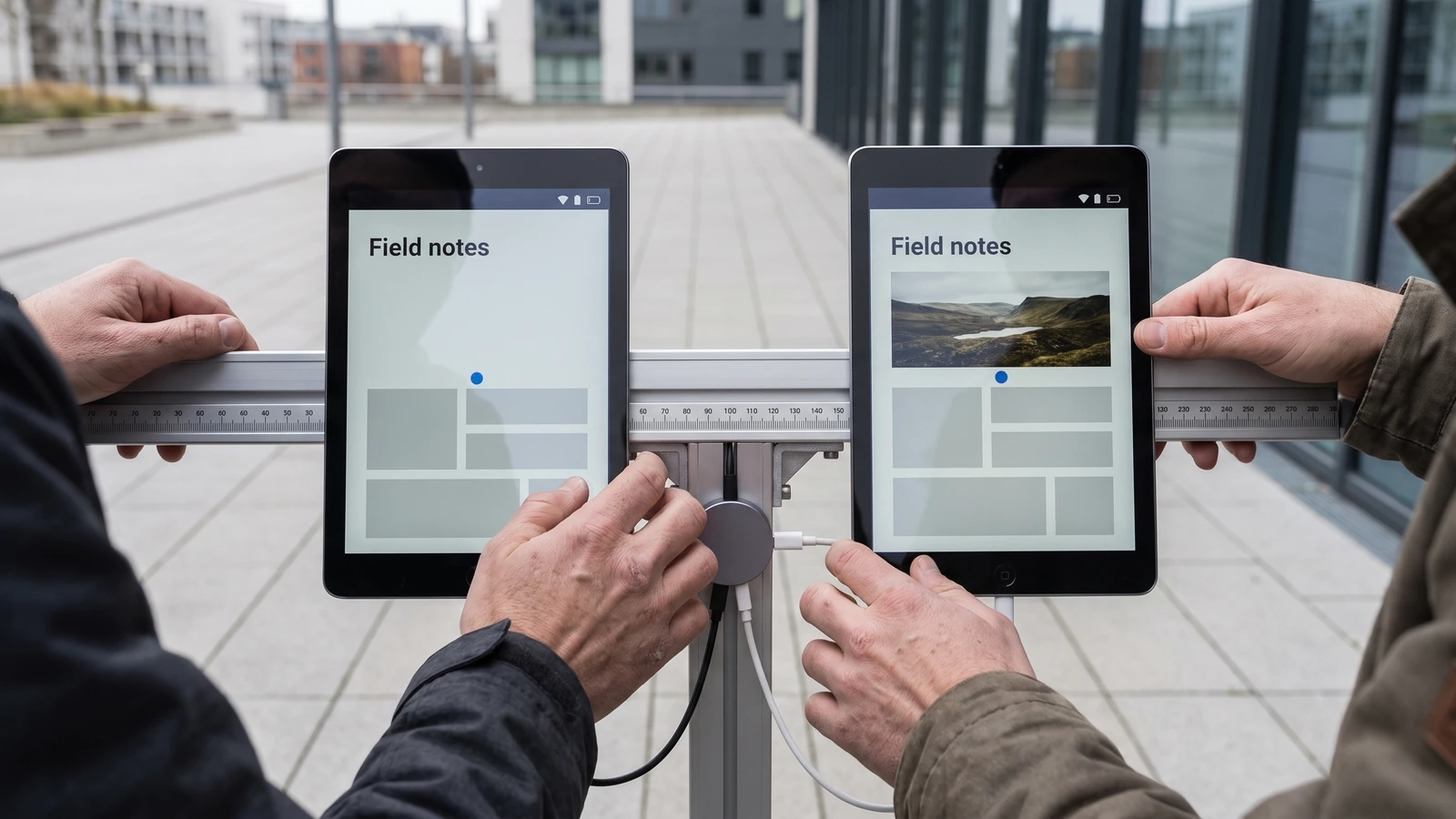
When an image above the viewport gains height, the browser can adjust scroll offset so the anchored paragraph stays under the reader’s eyes. The browser may suppress adjustment around operations where movement is already expected.
Test the event sequence
- Stable: page loads with reserved image space.
- Delayed: media above the viewport expands.
- Anchored: the selected content stays in place.
- Navigated: a user link or focus action moves intentionally.
- Recovered: Back and forward restore a useful position.
Keep dimensions and containment work
Set intrinsic width and height or aspect-ratio on images and embeds. Reserve ad and recommendation slots. Avoid inserting urgent banners above the reading column after interaction has begun.
Anchoring can hide a jump for the current scroll position while the page still accumulates layout shift elsewhere. Core Web Vitals and visual stability need the underlying geometry.
Use overflow-anchor as a surgical opt-out
The overflow-anchor: none property excludes an element and its descendants from anchor selection. Apply it when the component’s intentional scroll behavior conflicts with the browser, then keep the rule close to that scroller.
A chat pinned to the newest message has an intentional movement rule that may conflict with the browser’s chosen anchor. Virtualized lists, carousels, and restored navigation can have similar policies.

Opt out at the conflict, not the page root
A root-level opt-out discards useful protection for ordinary articles, product pages, and documentation. Start with the smallest component that owns its movement.
Remove JavaScript compensation carefully
Search for code that stores scrollTop, measures a node before insertion, and adds a height delta afterward. That workaround may double-correct once native anchoring is active.
Delete it only after testing supported browsers, nested scrollers, zoom, writing modes, focus changes, fragment navigation, back-forward restoration, lazy media, and dynamic fonts. Keep feature behavior boring across the matrix.
Separate reading stability from focus movement
Keyboard focus, scrollIntoView, fragment navigation, and validation errors are explicit movements. The user should reach the target even if anchoring would prefer the old position.
Test with keyboard, VoiceOver, zoom, reduced motion, and a screen reader’s virtual cursor. A visually stable page that hides the focused control is not stable for the person using it.
Build a page-level regression
Capture the target element’s viewport position, trigger the delayed insertion, and assert that the position stays within a small tolerance when no intentional movement occurs. Add a second case where chat bottom pinning or focus navigation must win.
Run the pair in Safari 27 and the other supported engines. The test should describe user intent, not a WebKit-specific pixel.
Measure the failure where the reader feels it
Choose a paragraph, card, or focused control as the observation target and record its viewport position before and after the delayed change. Log the scroll container, active element, insertion source, and whether an explicit navigation action was in progress.
Run the scenario at the top, middle, and near the end of a long page because the selected anchor can change with viewport position. Repeat with images disabled, a slow font, restored history, and a nested scroller to expose assumptions hidden by a fast local load.
Keep CLS beside this regression, but do not substitute one for the other. Layout shift measures instability across a session; the position assertion asks whether content moved under the reader’s eyes.
Record the failing viewport and delayed resource in the regression so a later CSS or JavaScript change can reproduce the exact movement. Keep the tolerance narrow enough to catch a visible jump but wide enough for subpixel rounding across engines.
Our customizable select guide covers another Safari 27 adoption boundary. The top-level await migration removes a startup workaround, while modern web UI maps broader browser support. Visit the Web hub for related work.