An administrator previews a service change, sees the expected stop action, and approves a fleet rollout. The production resource version differs from the lab, one machine requires a restart, and the service dependency that mattered never appeared in the review record.
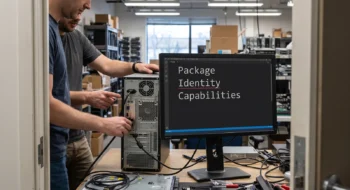
The photographs use a desktop tower, status lights, an isolated test bay, bare hands, and unmarked appliances to visualize a canary rollout. They are generic evidence props, not Microsoft product hardware.
Microsoft’s DSC 3.3 announcement expands Windows resources and what-if support. The preview becomes useful when the exact resource build, canary machine, runtime state, and reversal travel with it.
Microsoft’s DSC v3 getting-started guide defines the command and configuration workflow used by the rollout record. The official DSC releases identify 3.3.0 as stable while the later 3.4 builds remain previews.
Pin every DSC 3.3 resource in the rollout record
DSC orchestrates resources that own their own get, test, set, and preview behavior. Record the DSC executable version, resource package and version, adapter, operating system build, configuration hash, and invocation used for the preview.
Resolve those versions before the maintenance window rather than allowing a registry or package feed to move between preview and apply. Retain the resolved artifacts or their verified digests so a rollback investigation can reproduce the same contract.
Start with get and test
Use get to capture the current state and test to learn whether the declared state already matches. A what-if result without the starting state can describe an action while hiding the reason DSC chose it.
Store secrets outside the captured output and redact any resource property that carries credentials. Keep enough non-secret identity to connect the result to the machine, service, firewall rule, SSHD setting, or registry value under review.
Minimum evidence pair
- Before: current resource state, previewed change, resource version, machine role, and expected restart behavior.
- After: observed state, evaluated configuration-expression results, health check, second test result, and reversal outcome.
Plan the DSC 3.3 what-if rollout as a resource claim
The DSC 3.3 expansion covers Windows services, firewall rule lists, and SSHD resources. Review the properties each resource says it will change and compare them with the operational consequence that users care about.
Microsoft labels its Windows Registry resource and registry command as proof of concept and unsuitable for production. Keep registry experiments outside the production rollout and recovery plan.
A firewall rule can be syntactically correct while blocking the management path, and a service change can satisfy desired state while breaking a dependency. Add those consequences as separate checks instead of expecting preview output to infer the complete system.
Evaluate configuration expressions explicitly
stateChanged() and restartRequired() are DSC configuration-expression functions, not automatic result fields. Evaluate them in the configuration contract, validate the structured resource output they consume, and fail closed when the expected data is absent.
Do not scrape colored terminal prose. Keep the raw machine-readable response beside the human review summary so future DSC versions can be compared without reconstructing the original output.

Canary the resource with its real dependencies
Choose a machine that represents production identity, network policy, service dependencies, and restart constraints without carrying the full blast radius. Apply one configuration, observe the service from another host, and verify the management path remains available.
Evaluate stateChanged() and restartRequired() against the service, firewall, and SSHD state observed on the canary. Run test again after apply; an idempotent configuration should report the desired state without repeating the change.
Separate restart planning from configuration success
A configuration can reach the declared state and still require a restart before the workload behaves as intended. Route the evaluated restartRequired() outcome into the maintenance policy, with explicit deferral limits and a health check after reboot.
Do not let a generic “success” field close the change while a restart waits indefinitely. Record who owns the restart, which workloads drain first, and how the canary returns to service.
Test reversal as a supported configuration
Write the previous desired state as a valid configuration rather than an improvised shell repair. Preview it, apply it to the canary, and prove that management access, service health, firewall reachability, and registry values return to the accepted baseline.
A resource that cannot describe a safe reversal needs a different rollout boundary. Keep a documented manual recovery path and reduce the batch size until the team has evidence for the missing operation.
Handle the command rename explicitly
Microsoft renamed dsc mcp to dsc server and retained an alias. Update scripts and operator documentation to the current command, then test the alias only where backward compatibility is a stated requirement.
Search scheduled tasks, deployment definitions, shell profiles, and troubleshooting guides for the old command. A functioning alias can conceal stale automation until a later release removes the compatibility path.
Keep experimental export outside the recovery plan
Microsoft marks synthetic export as experimental. Use it to inspect or bootstrap work, then review the generated declaration and prove it through get, test, what-if, canary apply, and reversal before treating it as managed state.
Do not make an experimental export the only record of the prior configuration. Preserve the independently captured baseline and the operator-approved declaration that produced the last known healthy state.
Keep a release evidence record
Save the source versions, selected capability, test fixture, expected result, observed result, failure path, owner, and review date together. Recheck the decision when the platform contract, dependency, device class, model snapshot, or business consequence changes; a green launch artifact is evidence for one bounded state, not a permanent guarantee.
Continue with the Desktop hub, then use our first related guide and second related guide to connect this decision to the surrounding platform work. The next-action guide carries the resulting evidence into the following release decision.