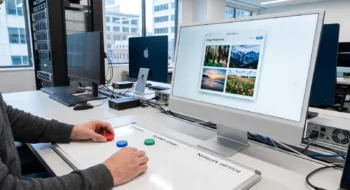
Microsoft is testing a calmer search home, clearer result origins and a switch for online suggestions. The useful part is knowing which controls exist, which behavior remains local-first, and why your PC may not have the experiment.
A Windows Insider opens Search expecting yesterday’s crowded home panel. Instead, the surface is quieter. Results carry clearer origin cues, promotional content has been removed from web results, and online suggestions can be controlled from Settings. A colleague on a similar preview build sees the old layout. Neither person is necessarily mistaken.
Microsoft introduced the Windows Search Box experiment on July 13, 2026. It is a gradual Controlled Feature Rollout in the Experimental Channel, so it is not available to every Insider and is not a general Windows 11 release. This guide separates the design change, the control path and the rollout status. It does not claim hands-on testing.
The context: one box, several origins
The search box can surface local files, apps and settings alongside web or Store suggestions. The frustration is not simply that multiple sources exist. It is that a user must understand where a result comes from and whether an online suggestion is helping or adding clutter. Microsoft says the experiment gives local results priority and labels sources more clearly.
The redesigned home also removes promotional content. That matters because the empty or idle state sets expectations before a query begins. A calmer home makes the box look more like a retrieval tool and less like a discovery feed. It does not, by itself, guarantee that every query stays on the device.
| User friction | Preview intervention | What to verify |
|---|---|---|
| Busy home surface | Promotional content removed and visual hierarchy simplified | Whether the new home appears on the enrolled PC |
| Unclear result source | Stronger labels for local, web and Store origins | Whether a result’s origin is understandable before opening it |
| Unwanted online suggestions | A control under Privacy & Security > Search | Whether the setting is present and changes suggestion behavior |
| Minor misspellings | Improved typo tolerance | A small set of known file, app and setting names |
| Very short file queries | Support for two-character file search | Whether a two-character filename fragment returns the expected local item |
The intervention: use the online-suggestion control carefully
Microsoft places the control at Settings → Privacy & Security → Search. Its purpose is to let users decide whether Search includes suggestions from the web and Microsoft Store. If the option is present, change it once, close and reopen Search, then repeat a query that previously showed an online suggestion. Record what actually disappears.
Do not describe the switch as a complete network-isolation control unless Microsoft documents that broader guarantee. The announcement speaks about suggestions. Other Windows services, cloud files and account-connected features can have separate behavior and policies. An administrator evaluating data boundaries should rely on the relevant enterprise documentation and network evidence, not the label of a consumer-facing toggle.
The result Microsoft is aiming for
Microsoft says the update improves reliability, local prioritization, typo tolerance and short filename matching. Those changes address two different jobs: finding a known local object and discovering a possible online answer. A successful redesign keeps both available while making the boundary legible.
For a personal PC, a practical check set is small: one installed app, one setting, one recently used local file, one deliberately misspelled query and one two-character filename fragment. For a managed fleet, add policy state, account configuration and representative device classes. Compare behavior only among machines in the same rollout cohort; otherwise a missing feature can look like a regression.
What has not shipped yet
Microsoft’s July announcement explicitly says not every Insider will receive the experience immediately. In a July 31 Windows quality update, the company said broader rollout of a collection of improvements would begin in the fall. That is a direction, not proof that this exact Search experience is generally available today. Treat screenshots and instructions as preview documentation until Microsoft publishes a stable-channel release note for the feature.
This distinction matters for support content. “Go to this setting” is incomplete when many readers cannot see it. A better support answer starts with the status: preview, gradual rollout, device may not be eligible. It then offers the settings path for readers who do have the experiment, and it avoids registry workarounds that force an unsupported state.
Transfer limits: when this guide stops being enough
The preview article does not establish enterprise compliance, offline-only operation or exact telemetry. It also does not promise that Microsoft will ship every tested detail. If the decision concerns regulated data, search indexing across corporate sources or fleet-wide policy, use Microsoft’s current administrative documentation and validate on the managed configuration.
Official sources
- Windows Insider Blog — Improving Windows Search Box with less clutter and more control, July 13, 2026.
- Windows Insider Blog — Windows quality update, July 31, 2026.