The new Web Speech quality hint turns “local recognition” into three different product commitments. Choose the job before asking a device to install a language model.
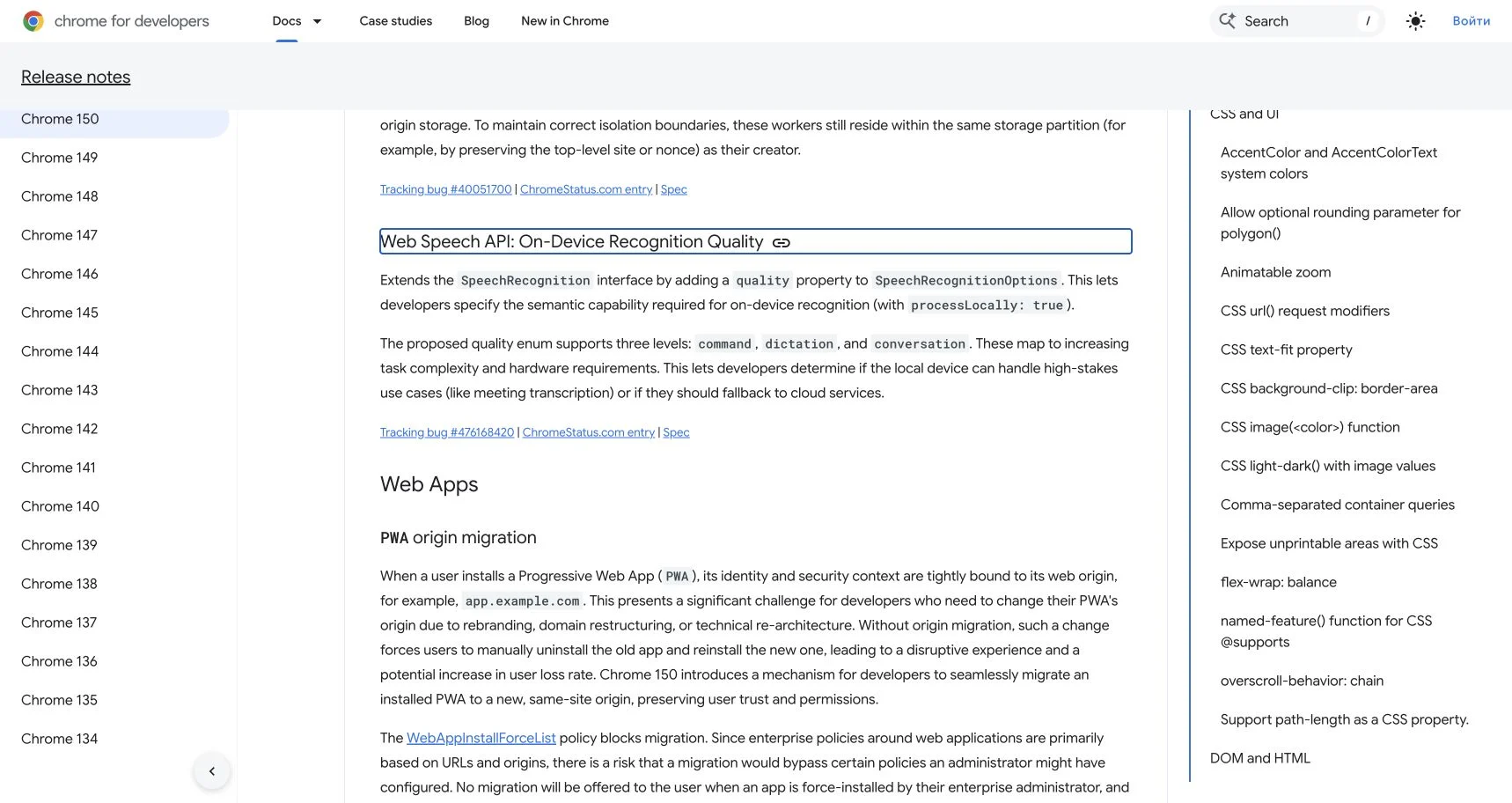
Should a voice button understand “next slide,” transcribe a paragraph, or follow a meeting? Those are all speech-recognition jobs, but Chrome 150 no longer asks developers to hide them behind one vague “on-device” switch. The Web Speech API adds a quality option with three levels: command, dictation, and conversation.
The choice affects model capability, download expectations, hardware fit, and fallback behavior. This article compares those product modes from Chrome’s release notes and the current Web Speech documentation. It does not claim an independent accuracy or latency benchmark.
Round one: command
Use command when the utterance is short and the action set is bounded: “play,” “pause,” “zoom in,” or a small set of accessibility controls. The advantage is not that every device will succeed. It is that the semantic job is narrow enough to test with a finite phrase set, accents, noise levels, and rejection cases.
A command recognizer should prefer “I did not understand” over a confident wrong action. Keep destructive or costly commands behind confirmation. Local processing can reduce network dependence, but it does not remove microphone permission, UI feedback, or the need to show when listening begins and ends.
Round two: dictation
Use dictation for continuous prose where punctuation, correction, and domain vocabulary matter. The output is user-authored content, so recovery is as important as first-pass recognition: show interim results, preserve the original text while a replacement is pending, and make it easy to edit.
Dictation has a larger language and hardware burden than commands. Check availability before presenting the feature as ready. If the required language pack is absent, explain the download and storage implication before installing it. Do not begin a cloud fallback with captured speech unless the product has disclosed that transfer and obtained the appropriate consent.
Round three: conversation
Use conversation only when turn-taking, longer context, and conversational language are central to the task. Chrome describes it as the highest-complexity level and explicitly frames meeting transcription as a high-stakes example that may exceed local hardware. A device reporting local availability is a capability signal, not proof of acceptable accuracy for every room, speaker, or language.
For meetings, interviews, health, finance, or legal notes, publish the limitations. Keep the recording indicator obvious, identify which voices or languages were not tested, and give the user a way to stop processing and delete the result.
const options = {
  langs: ["en-US"],
  processLocally: true,
  quality: "dictation"
};

const availability =
await SpeechRecognition.available(options);Exceptions decide the winner
There is no universal best quality. A larger local model can be worse for a quick command if it delays installation, consumes storage, or is unavailable on the user’s device. A command model can be unacceptable for free-form notes. Conversation quality can still be the wrong product choice when the consequences of a missed speaker or mistranscribed number are high.
Treat browser support as progressive enhancement. Feature-detect the relevant methods and options. Check whether the language and quality are available. Offer installation only after explaining the benefit. If local recognition is unavailable, choose deliberately among a disclosed cloud path, manual input, or disabling the feature. Never make “cloud fallback” an invisible network transfer.
| Reader job | Start with | Acceptance test | Fallback |
|---|---|---|---|
| Trigger one of a few reversible actions | command |
Known phrases, false actions, accent and noise set | Visible buttons or keyboard controls |
| Create editable prose | dictation |
Word errors, punctuation, correction, long pause | Typing; optional disclosed cloud transcription |
| Capture multi-speaker or long context | conversation |
Speakers, overlap, numbers, privacy, device load | Purpose-built service or do not offer the feature |
Owner handoff before shipping
The frontend owner should document capability detection, install prompts, listening states, and manual fallback. The privacy owner should document what stays on-device and when audio may leave it. QA should hold separate phrase sets for command, dictation, and conversation rather than declaring “speech works” from one happy path.
Sources
- Chrome 150 release notes, stable date June 30, 2026; checked August 18, 2026.
- MDN — SpeechRecognition.processLocally, checked August 18, 2026.
- MDN — SpeechRecognition.available(), checked August 18, 2026.